All about FinantiaNet

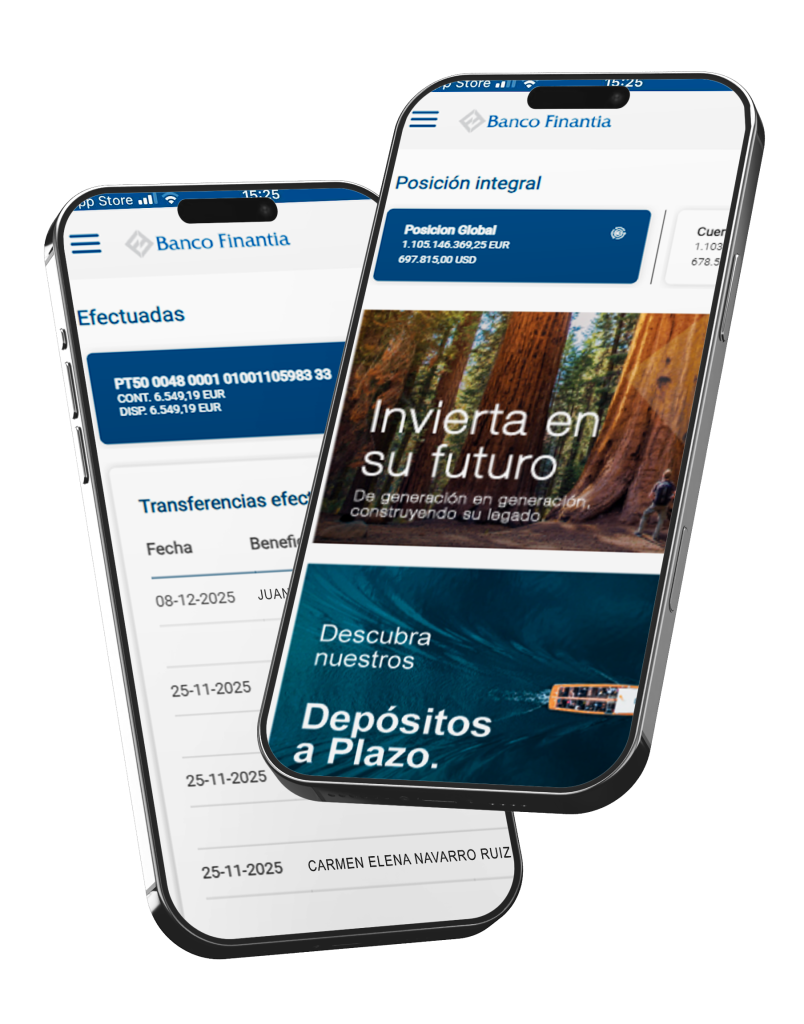
FinantiaNet ES is Banco Finantia’s electronic banking platform, associated with its Private Banking service. It allows you to access your assets quickly and securely, anytime and anywhere, via your computer or through the app installed on your smartphone.

In addition to the available features and operations, the app includes biometric identity validation, providing enhanced security.


What you can do with FinantiaNet

√ View balances and transactions
Monitor your account activity easily and in detail.

√ Access documentation
Consult all documentation associated with your account.

√ Make transfers
Execute domestic and international transfers effortlessly and quickly

√Register beneficiaries
Add and manage beneficiaries securely.

√ View contacts and branches
Access Banco Finantia’s contact details and branch network.

√ Biometric validation
The app integrates biometric identity validation, reinforcing security levels for access and transactions.

Everything you need to manage your account, in one place

Download and activate the FinantiaNet App from the App Store or Google Play Store.

To activate the app or request assistance, please follow the steps outlined in the “About FinantiaNet” Guide.

Scan the QR code to download the App.

Frequently asked questions

You can easily recover it by selecting the option “Recover access code” on the FinantiaNet login page. You will be asked to provide your Tax Identification Number (NIF/NIPC), date of birth and the phone number registered at account opening. After completing the reCAPTCHA security validation and confirming your details, you will receive a new access code by SMS.

Communication between your smartphone and Banco Finantia is encrypted and carried out through secure channels, ensuring the confidentiality of your data. In addition, all operations that may affect your assets are subject to additional validation via an SMS code, allowing real-time confirmation of the transaction’s legitimacy.

After three failed login attempts, access to FinantiaNet will be blocked. To recover it, select the option “Recover access code” on the initial screen. If you require further assistance, your account manager will be available to help. You may also request support by calling +351 217 202 000, on business days, from 9:00 a.m. to 6:30 p.m.

FinantiaNet is free of charge for Banco Finantia clients. Only the fees set out in the price list apply to financial transactions, such as interbank transfers. Mobile data charges may apply, depending on your mobile operator’s tariff plan.

To access FinantiaNet on a computer, it is recommended to use the latest versions of Google Chrome, Microsoft Edge, Mozilla Firefox or Safari.
For smartphones, iOS 10.3 or later, or Android 5.0 (Lollipop) or later is required.

If you receive suspicious communications or detect unusual activity, do not click on links or provide personal data. Contact Banco Finantia immediately for clarification and to report the situation.

If you have any further questions about our services, please consult the dedicated Frequently Asked Questions page.